


100% of first deposit up to £350 + 200 free spins
Includes 200 free spins.
Wagering 35× (bonus+deposit); free spins winnings 40× · Min deposit £10
Claim Bonus
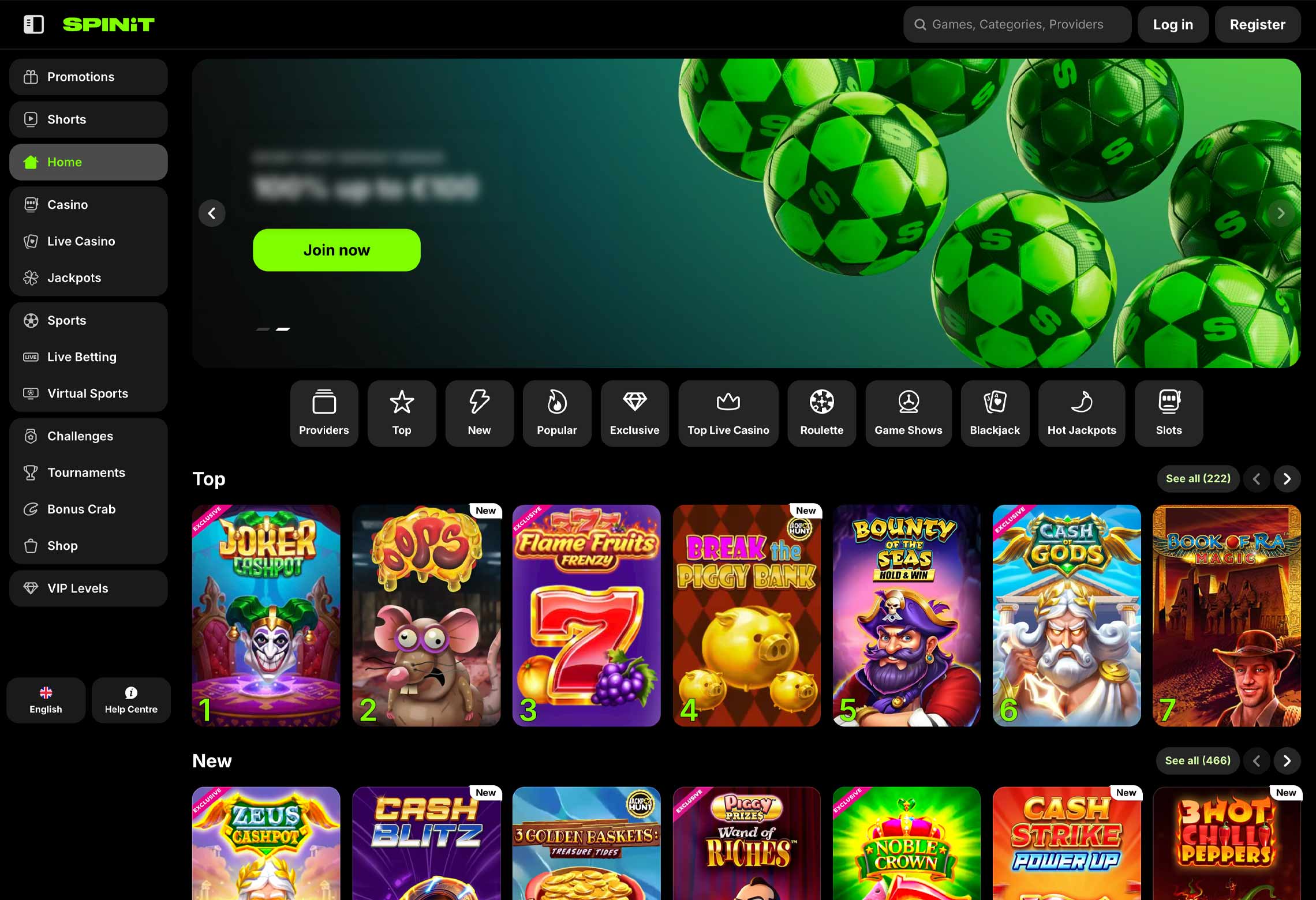
Open a Spinit Account
Create an account, confirm your contact details and complete identity checks before your first withdrawal.
Welcome bonusup to £350 + 200 Free Spins
You must be of legal age to gamble, and Spinit does not accept players from the UK.
Complete the registration form with your details, then confirm your e-mail address or phone number if prompted.
Make your first deposit to activate the welcome offer: 100% of the first deposit up to £350 + 200 free spins.
Before your first withdrawal, provide valid identification documents for the full KYC check; the one-time process usually takes up to 24 hours.
100% of first deposit up to £350 + 200 free spins
Includes 200 free spins.
Wagering 35× (bonus+deposit); free spins winnings 40× · Min deposit £10
Claim Bonus50 free spins, weekend reload (£600 + 50 free spins)
Extra value on your regular top-ups, week after week.
Wagering 35× (bonus+deposit); free spins winnings 40× · Min deposit £10
Claim Bonuslive cashback 25% up to £175; daily cashback 15% up to £350
Get a share of your net losses back automatically.
Claim BonusTo register at Spinit, open the account form and enter the details it requests, then submit it and complete any e-mail or phone confirmation step shown. Use accurate personal details, as they may need to match the identification documents requested during verification. Once registration is complete, the account can be used to make a first deposit and activate the welcome offer.
Start from the registration option on the casino site and fill in each required field. The exact fields appear on the form; provide your own current details rather than information belonging to another person. Check spelling and dates before submitting, particularly for details that may later be compared with identity documents.
Choose account credentials carefully and keep them available for your next visit. If the form asks you to create a password, follow its on-screen requirements. The casino may ask for an e-mail address or phone number to confirm the account, so use contact details you can access.
After submitting the form, follow the confirmation prompt sent to the contact channel you supplied. Check the message and any on-screen instructions, then return to the account if asked. If a confirmation message does not arrive, check your details and contact support through live chat or e-mail.
Contact confirmation links the account to an e-mail address or phone number you control. Complete the step using the message or code sent by the casino, and do not enter a code on a page you did not reach through the casino’s own site. If the prompt offers another confirmation route, follow the one shown on screen.
Keep the same contact details available after opening the account. They may be used for account messages and for assistance if access needs to be restored. If you spot a typing error before completing confirmation, correct it through the account process rather than trying to confirm details that are not yours.
Once the confirmation step is complete, sign in with the credentials created during registration. If you cannot access the account, use the recovery option shown on the sign-in screen or ask support for help. Support is available through live chat and e-mail.
| Registration detail | What applies |
|---|---|
| Minimum deposit | £10 |
| Identity check | Valid identification documents; one-time process usually takes up to 24 hours |
| Welcome offer | 100% of first deposit up to £350 + 200 free spins, activated after registration |
You must be of the age of majority to open an account. Enter your own information and make sure it is correct before you submit the form. If you are unsure whether you meet the eligibility requirements that apply to you, resolve that before registering rather than creating an account with inaccurate details.
Registration is for an individual account. Do not use another person’s identity or contact details, and do not create an account on someone else’s behalf. If you already have an account and need to correct a personal detail, contact the casino’s support team and explain which information needs changing.
Details such as your name and date of birth should be consistent across the account and your identity documents. A mismatch can prevent the casino from completing its checks. Make corrections through support so the account record can be updated appropriately, rather than opening another account to work around an error.
Spinit requires full KYC before the first withdrawal. The check requires valid identification documents, so make sure you can provide documents that verify your identity when the account reaches that stage. The one-time process usually takes up to 24 hours.
Follow the instructions in your account when asked to submit documents. Use clear, valid documents and ensure the personal details match the account. If the casino requests further information to complete the check, respond through the stated account process or ask support for assistance.
Verification is a separate step from filling in the registration form. Completing the form does not replace the identity check required before a first withdrawal. Allow time for the casino to review submitted documents, and check your account for any request or status update.
What documents are needed to register? The registration form asks for account details, while the identity check requires valid identification documents. Spinit carries out full KYC before the first withdrawal. Follow the document instructions in your account when verification is requested, and make sure the information matches the details entered during sign-up.
How long does identity verification take? The one-time KYC process usually takes up to 24 hours. It is required before the first withdrawal, rather than being a substitute for completing the registration form. Submit valid identification documents through the account process and check for any follow-up request while the review is under way.
Can I open more than one account? Registration is intended for your own individual account, and the account details should identify you accurately. Do not register using another person’s identity or contact details. If you have already created an account and cannot access it, contact support for help instead of attempting to get around the issue with another registration.
How can I change my details after signing up? Contact support through live chat or e-mail and explain which account detail needs correcting. Keep the account information accurate and consistent with your identification documents, especially if the change affects identity details. Support can advise how to make the correction through the account process.
What if I do not receive a confirmation message? First check that the e-mail address or phone number entered on the form is correct and accessible. Then follow any resend option shown during registration. If the confirmation still does not arrive, contact support through live chat or e-mail so the issue can be checked.
When is the welcome offer activated? The welcome offer applies after registration and is tied to the first deposit. Complete sign-up and any confirmation step before proceeding with the offer. Check the offer details shown in your account before depositing so you understand the applicable conditions.
| Registration detail | What applies |
|---|---|
| Welcome offer after registration | 100% of first deposit up to £350 + 200 free spins |
| Minimum deposit | £10 |
| Identity verification | Valid identification documents; the one-time process usually takes up to 24 hours |
Find answers about opening a Spinit account, the details needed during registration and identity verification. The FAQs also cover signing in after you have registered.
To complete Spinit sign up, fill in the registration form and submit your details. Confirm your email address or phone number if prompted, then use your account to access the casino. You must be of legal age to gamble, and identity checks are required before your first withdrawal.
Enter the personal details requested on the registration form to open an account. Keep your details accurate, as Spinit requires valid identification documents for its full identity check before your first withdrawal. The casino may ask you to confirm your email address or phone number during registration.
You must be at least the legal age to gamble to open a Spinit account. Registration is for eligible adults, and identity checks take place before the first withdrawal. Provide accurate personal details so they can be checked against your identification documents.
Spinit requires valid identification documents to complete its full identity check before your first withdrawal. Submit the documents requested for your account so the casino can verify your identity. This is a one-time process, and verification must be complete before a withdrawal can be made.
Spinit’s one-time identity verification usually takes up to 24 hours. The check must be completed before your first withdrawal, so allow time for it before requesting a payout. Valid identification documents are required to finish the process.
After registering, sign in to Spinit using the account details you created. If registration asks you to confirm your email address or phone number, complete that step to access the account. The casino is compatible with mobile devices, so you can also use it through a mobile web browser.
Gambling should be entertainment, not a way to earn money. Set deposit limits, take breaks, and stop when it is no longer fun.
100% up to £350 + 200 Free Spins
Spin once for a tip from the lobby: an offer to claim or a game to try today.
Still deciding? Your welcome offer is ready to claim.
up to £350 + 200 Free Spins